JoyCast
Wireless Screen Mirroring

Mirror your iPhone or Android screen to Windows with smooth, low-latency wireless casting.

Perfect for demos, presentations, tutorials, meetings, and everyday screen sharing.

30-80ms
Typical LAN Latency
Up to 1080p
HD Mirroring
iPhone & Android
Supported Devices
Windows
Receiver App
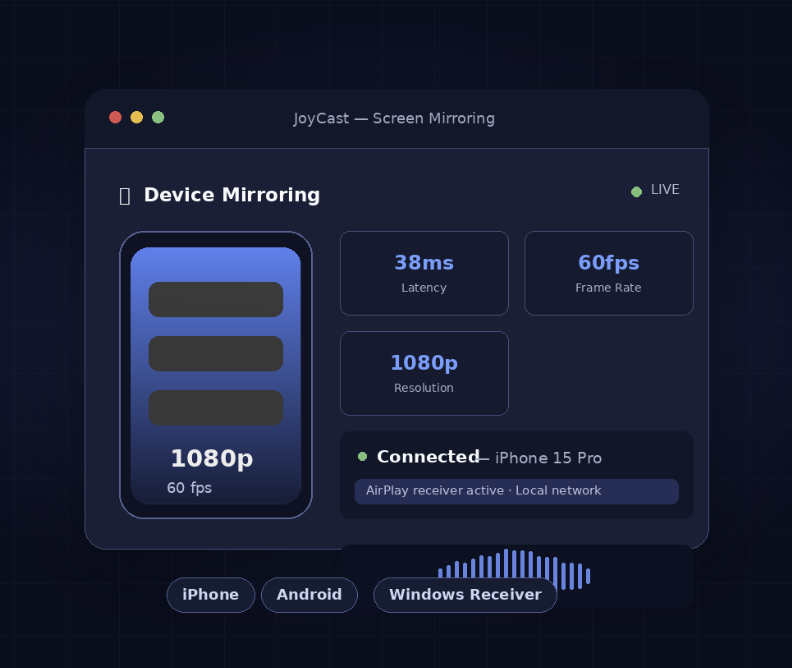
JoyCast wireless screen mirroring preview

Turn Recordings into
Polished Content

Upload your screen recording and let AI handle subtitles, translations, highlights, and summaries — in minutes.

🗣
AI Subtitles
Automatically transcribe speech with high accuracy in 30+ languages. Perfect for TikTok, YouTube, and online courses.
🌍
Auto Translation
Translate subtitles into multiple languages simultaneously. Reach global audiences with one click.
Smart Highlights
AI detects the most engaging moments in your recording and creates short clips ready for social media.
📝
Content Summary
Generate concise summaries, chapter markers, and key takeaways automatically from any recording.
Smart Clipping
Automatically cut long recordings into digestible segments based on topics and natural pauses.
📤
One-Click Export
Export SRT, VTT, JSON, or burned-in video. Direct integrations with YouTube, TikTok, and more.

Built for Every Creator

From TikTok streamers to corporate trainers, JoyCast powers your content workflow.

📱
TikTok Live Streaming
Mirror your phone and add real-time AI subtitles to your TikTok lives. Grow your audience across language barriers.
🎓
Online Education
Record lessons and auto-generate transcripts, summaries, and translated subtitles for students worldwide.
🎮
Game Streaming
Cast your mobile game to OBS with low, stable latency suitable for live streaming. Stream to Twitch, YouTube, and more simultaneously.
🛒
E-Commerce Live Selling
Display product demos in ultra-high quality on any screen. AI subtitles keep international buyers engaged.
💼
Remote Support
Cast client screens for real-time technical support from anywhere. Secure, encrypted, no installation required.
🎙
Podcast & Webinars
Record your sessions and automatically produce show notes, chapter markers, and clip highlights.

JoyCast Live Assistant
for Daily Streamers

Live Assistant focuses on live workflow orchestration: scene switching, stream health, recording pipeline, and multi-device live room control. Built for creators who need stable operations, not just one-time casting.

🎛
Live Workflow Control
Control stream sessions, presets, and on-air transitions from one dashboard built for high-frequency live operations.
📊
Real-Time Health Monitoring
Track latency, bitrate, dropped-frame indicators, and session stability so your team can react before viewers are impacted.
Session Recording Pipeline
Auto-save live sessions and hand off to your post-production workflow with consistent file structure and timestamps.
Live Room Snapshot
Active Rooms
12
Healthy
Median Delay
68ms
Stable
Dropped Frames
0.3%
Within SLA
Recording
ON
Auto Capture

Frequently Asked Questions

On a stable local network, JoyCast typically runs around 30-80ms end-to-end (capture, transport, decode, render). Over the internet, latency depends on distance and routing, often ranging 80-180ms.
Yes! Local screen mirroring works entirely on your local WiFi network with no internet required. AI features and remote casting require internet access.
AI Screen Studio supports 30+ languages including English, Spanish, French, German, Japanese, Korean, Chinese (Simplified & Traditional), Portuguese, Russian, Italian, Arabic, Hindi, and many more. New languages are added regularly.
Yes, Pro and Creator Bundle plans include OBS integration. JoyCast creates a virtual camera source that OBS can capture, letting you add the mirrored screen to any OBS scene.
No. Screen mirroring is peer-to-peer encrypted with TLS 1.3. We do temporarily store uploaded video files for AI processing (deleted after 7 days), but live screen casting never touches our servers.
Absolutely. You can cancel anytime from your dashboard. Your subscription remains active until the end of the current billing period. We also offer a 14-day money-back guarantee on all paid plans.

Start Casting for Free

Start using JoyCast to power your screen mirroring and AI content workflows.